What should a Gatineau business put on a visit-us page?
Help visitors get from a map result to the correct door with verified directions, arrival details and a maintained contact path.
A customer taps your address and arrives at the back of a building in Hull. The office door is on another street, the closest parking is time-limited, and the map pin points to the centre of the block. They are nearby, but your website has not finished the job of getting them in.
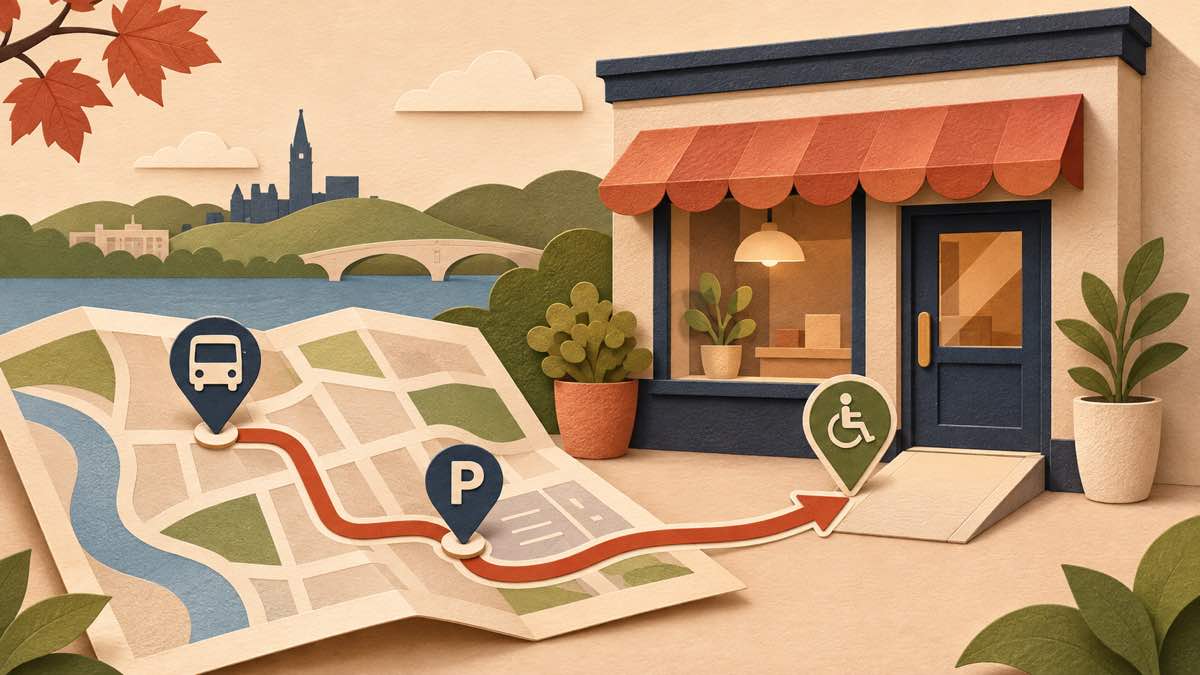
A useful visit-us page answers the last part of the trip. Show the address and the entrance people should use, the hours for in-person visits, a direct contact method, and verified information about parking, transit and physical access. Give the map link a text description so a visitor can still act if the map does not load. A storefront with a straightforward street entrance may need only a short section; a clinic, shared office or venue may need a fuller page.
The travel context is local, but it is not a customer forecast. Statistics Canada reports that 81.4% of Gatineau workers who commuted in the 2021 Census travelled by motor vehicle and 10.7% used public transit. These are modes of travel to work among Gatineau workers at that time. They do not tell you how your customers travel, how many people visit your business, or whether adding directions changes sales. They do remind us that a local page should let people check more than one arrival path.
Start with the door, not just the postal address
Write the business name, full civic address, unit or suite, sector of Gatineau, and the entrance to use. If the door faces a side street, is inside another building, or requires a reception desk, explain that in one or two sentences. A short landmark can help, but it should supplement the official address. Add a phone number or other monitored contact route for someone who is lost or needs to confirm an appointment.
Then open the address in a map service and follow the route as an unfamiliar visitor. Does the pin land at the actual entrance? Does the route send a driver to a loading bay, or a pedestrian to a locked door? Google’s Business Profile address guidance describes how an eligible business can include unit details and adjust its map pin when the address cannot be located correctly. Check the public result after editing; do not assume a saved edit is already visible. Keep the address on the website and the public profile consistent.
Only publish a customer-facing street address when customers can actually visit that location. A home-based service business that travels to clients has a different need: clear coverage and a contact path. Google’s guidance allows a service-area business that does not serve customers at its address to hide that public address. Our Gatineau service-area guide explains how to describe coverage without pretending every neighbourhood has a shopfront.
Say when a visitor can come in
Separate public visiting hours from telephone hours, appointment availability and pickup hours if they differ. “By appointment” should say how to request or confirm one, and whether walk-ins are accepted. If a shop closes for lunch, a clinic has a different reception schedule, or a venue opens only for events, put the relevant rule beside the visit instructions. A visitor should not have to infer it from a calendar widget.
Assign someone to update the page when hours change. Check the website, map profile, booking confirmation and any social profile before a holiday or temporary closure. Keep a small record of which surfaces need changing and who owns each one. The goal is a reliable public trail, not duplicate text that no one maintains.
Describe parking without promising a space
If the business has its own customer parking, state where the entrance is, whether a space is reserved, and any conditions the owner has verified. If customers use municipal parking, link to the City of Gatineau’s current municipal parking information and describe the nearby option in plain language. The city lists locations and says its posted tariffs apply to a specified period; that is a reason to link to the current rules rather than copying a rate that can go stale.
Do not write “free parking” based on a staff member’s experience if it depends on time, day, permit or event. Distinguish a place to stop briefly from a permitted customer parking space. If the nearest option changes during construction or winter operations, update the instruction or remove it until it is confirmed. A phone-friendly link to the relevant city page is more useful than an unlabelled map image with tiny text.
Let transit riders plan the final approach
Name a nearby stop or station only after someone checks the actual walking route to your entrance. Avoid hard-coding a bus schedule into a business page. The Société de transport de l’Outaouais provides a journey planner, stop times and service alerts; link to those tools so the visitor can check their travel date and any detour. Describe the final walk if the route from the stop to the door is confusing.
This matters for visitors crossing the river as well as people travelling within Gatineau, but an Ottawa–Gatineau example does not establish a demand pattern for your particular shop. If the business is in Aylmer, Buckingham or Masson-Angers, use its real stop and entrance rather than generic downtown directions. Test the path with someone who has not visited before.
Be precise about physical access
Tell visitors what you have actually checked: whether the route from the sidewalk or parking area to the entrance has steps, whether there is a working ramp or lift, which door is usable, and whom to call if assistance is needed. If access changes with snow, construction or an event setup, give a monitored contact route and update the page. A vague “accessible” badge can conceal the exact barrier a visitor needs to plan around.
The Government of Québec’s guidance for small business establishments asks owners to examine the route from arrival through the business and discusses parking, step-free paths and entrances. It is useful as an inspection prompt, not as proof that a particular premises meets a standard. Google’s Business Profile attributes include entrance, parking and other accessibility details. Set an attribute only after checking the feature; a profile setting cannot substitute for a truthful description on your own site.
If an accessible entrance is around the side, write that route explicitly. If the team cannot verify a feature, do not guess. Invite the visitor to contact a person who can answer the question and make a plan for the barrier. Physical changes may need advice from a qualified accessibility or building professional; a website can communicate what exists, but it cannot fix an inaccessible entrance.
Give the page a simple, maintainable shape
For a single location, a clear contact section may be enough. Put the visit information near the address and contact action, then link to it from the main navigation or footer. A separate page makes sense when several entrances, appointment rules or travel modes need explanation. Multiple locations need distinct details for each actual location, not near-identical pages with swapped neighbourhood names.
A practical order is: location name and full address; visiting hours and appointment rule; entrance instructions; parking and transit options; access details; contact path; then a labelled map link. Keep the important facts as page text rather than hiding them in a map embed or photograph. A map can help orient someone, but it may not show a suite, accessible door or temporary closure.
If the business publishes both French and English pages, check that the address, hours, door instructions and contact route agree in both languages. A language switch should take someone to the equivalent visit information, not an unrelated homepage. Our Gatineau website language guide covers broader French-content planning.
Test the trip on a phone
Ask a person unfamiliar with the premises to start from a search result on a phone. Can they find the visiting hours, identify the right entrance, choose a parking or transit route, understand any physical access barrier, and reach a person if a detail is unclear? Try the map link, then repeat with the map blocked. Check the narrow page for cut-off text and buttons that are difficult to tap.
Repeat the test after a change of hours, building entrance, parking arrangement or transit stop. Record the date and owner of the check. If the business receives recurring “where is the door?” calls, use those exact questions to improve the instructions. Do not treat a reduction in such calls as measured until you have actually recorded comparable periods.
For a Gatineau business planning a site around real customer visits, see Red Comet’s web design work in Gatineau. Start with the route a visitor must complete and the information your team can keep current.
Sources
- Statistics Canada, A tale of two cities in one National Capital Region: Ottawa–Gatineau at a glance, February 20, 2025; 2021 Census travel-to-work figures.
- Ville de Gatineau, Stationnements municipaux, accessed November 17, 2026.
- Société de transport de l’Outaouais, Outils d’information, accessed November 17, 2026.
- Gouvernement du Québec, Accessibilité des petits établissements d’affaires, accessed November 17, 2026.
- Google Business Profile Help, Manage your business address and Manage your business attributes, accessed November 17, 2026.