Just your essentials.
Build customizable launcher lists for apps, websites, and Apple Shortcuts. Choose typography and color schemes, add Home Screen widgets, and export a matching wallpaper.

A day of
your choosing.
An intentional starting point for your iPhone. Arrange the apps, websites, and Apple Shortcuts you choose. Leave a little room between picking up your phone and deciding what comes next.
Daymark: Intentional Home is preparing for submission. Not yet available on the App Store.
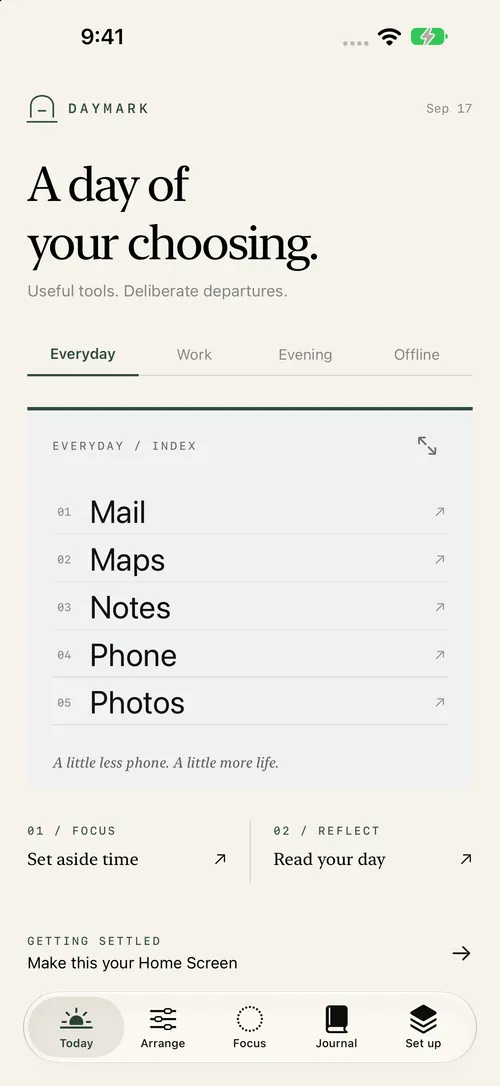
Build customizable launcher lists for apps, websites, and Apple Shortcuts. Choose typography and color schemes, add Home Screen widgets, and export a matching wallpaper.
Add an optional pause before selected launches through Daymark, or start a focus timer. A pause offers a choice to continue or step away; it does not block access to an app.
Read a daily Journal of Daymark launch handoffs, step-away choices, and elapsed timer sessions. Layouts and activity stay on your device, with no account, ads, analytics, or tracking.
Four independent routines for the shape of your day. Give Everyday, Work, Evening, and Offline their own launcher lists, look, and feel. “Offline” is a routine name; it does not change your device’s connectivity.
Everyday / A little more room.
Illustrative preview. Customize the real layouts in Daymark. Switching this preview does not change your device.
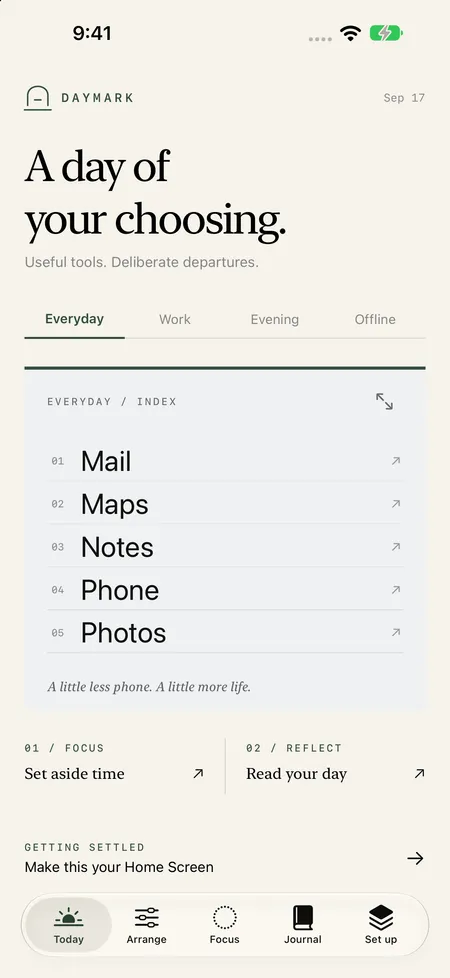
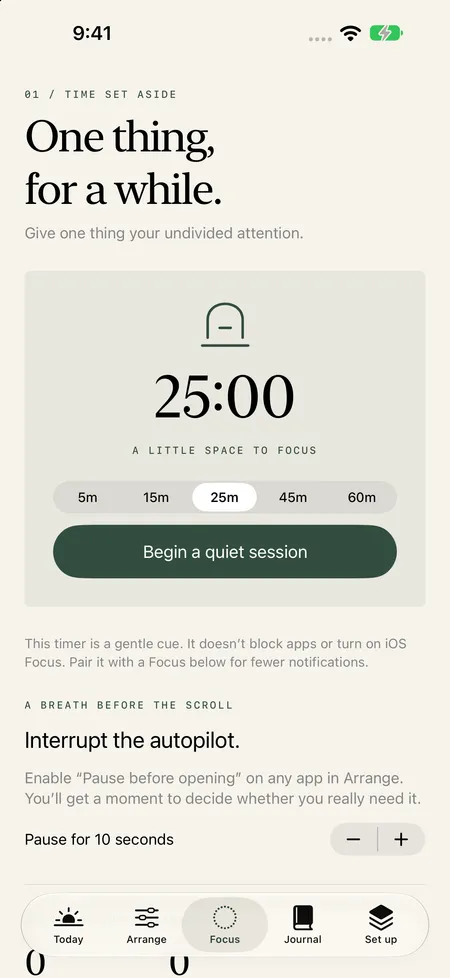
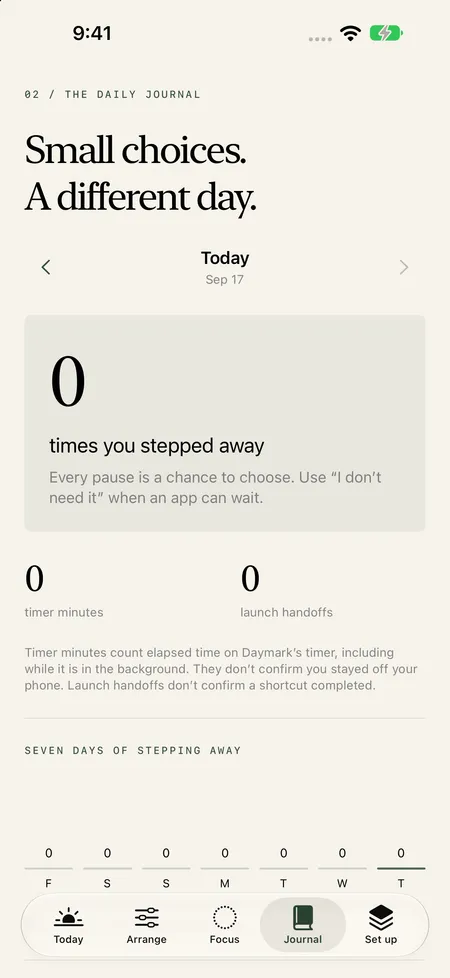
Daymark uses Apple Shortcuts, supported app deep links, or website links. For some apps, create an “Open App” shortcut in Apple’s Shortcuts app and match its name in Daymark. The setup guide walks you through it.
Daymark adds configurable widgets and an in-app launcher. iOS still controls the Home Screen, dock, widget placement, and system interface. Matching wallpapers help the widgets feel at home. Full-page widgets require iOS 27; smaller widgets support earlier compatible versions.
Daymark does not measure total device screen time, block other apps, or silence notifications. It records activity through Daymark only, such as launch handoffs, decisions to step away, and elapsed timer sessions. Timer minutes are elapsed time, not verified focused time.
Your layouts, preferences, and Daymark activity are stored on your device and shared locally with the Daymark widget. There is no developer-operated cloud account or analytics service. See the Daymark privacy policy for backup and permission details.
Daymark: Intentional Home is preparing for App Store submission. It is not yet available on the App Store.